
Global Hubs Widget
Purpose
Display time from specified time zones in a 12 hour or 24 hour format. If a link is associated with the Zone then the item is highlighted in the sites link preferred link color. This widget can be displayed on the footer or on a card as desired if using master page virtualmasterpagehiveenhanced.html. These time zones can represent office locations or team locations. The user can login to the intranet to find out quickly what time it is for their team mates.

Features
-
- Display the times from a specified time zones
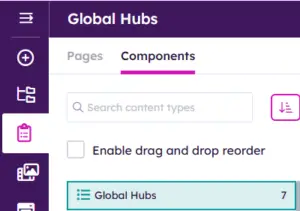
- Time, labels, flags (on the “Card Global Hubs view) and order can be managed in the supporting “Structured Content” > Component > Global Hubs
-
- A widget property determines if the times displayed will appear in a 12 hour or 24 hour format
- A Region Url can be set on an item of the Global Hubs and link to a landing page.
- Above the Master page footer is a Global Hubs Widget pointing to the same data as the “Card Global Hubs” view.
- The Global Hubs Widget on the footer can be hidden via the Site Theme Manager if use the OOTB master page virtualmasterpagehiveenhanced.html
Watch the Video below to learn more about working with the Structured Content > Component > Global Hubs
Details
-
- Widget Name: GlobalHubsWidget
- Available With: Release 7.0.2602.0321
- Content App Type: Slider, Structured Content – Component
- Content Type: AkuminaGlobalHubs and AkuminaLanguage
- Content App Name: Global Hubs
- List Name: GlobalHubs_AK
- Recommended Images Sizes: N/A
- Dependencies: GenericListWidget
Content
| Title | Label associated with the Time Zone e.g. US (EST) |
| TimeZoneID | TimeZone for clock to be set. Click here to acquire TimeZoneID. Valid TimeZoneID values, comes from the the column: “TZ identifier“, example: Europe/Stockholm |
| CountryCode | CountryCode. Click here to acquire valid CountryCode. Valid CountryCode values come from the “Country Code(s)” column, example: SE. |
| RegionUrl | If set the item will appear highlighted in the sites link color on the footer view and the card view. This could be a link to a regional landing page. |
Properties
| List is on Root Site | When checked, the widget references the list on root site | |
| List Name | Name of the SharePoint list that contains the data to be displayed for this widget instance GlobalHubs_AK | |
| Display Title | For a multilingual site this would be a token variable example:
{globalhubswidget.header} additional tokenized titles or to manage what display for this token is managed in the App Manager > Central Site > Management Apps > Language Manager by a site Administrator. If the site is not Multilingual then a title could be enter here in your language example “Our Offices” |
|
| Site Collection URL | Site collection URL where the SharePoint list defined in “List Name” can be found. | |
| viewxml | XML that is used in the view to query the data:
<View><Query><Where><Eq><FieldRef Name=’ItemActive’/><Value Type=’Boolean’>1</Value></Eq></Where><OrderBy><FieldRef Name=’ItemOrder’/></OrderBy></Query></View> |
|
| Cache Interval |
|
|
| Function to call after fetching data | OOTB -Blank (used for widget expansion): Name of the function called after data has been fetched by the widget. | |
| Funtion to call before binding the UI events | OOTB -Blank (used for widget expansion): Name of the function called before the UI has been rendered to the screen | |
| Selected list columns | Columns in the SharePoint list that the widget is utilizing on the view:
ID,Title,TimeZoneID,CountryCode,RegionUrl |
|
| 24 Hour Time | If checked the the content will display the time in a 24 hour format else 12 hour format. | |
| Dependencies | This field designates if this widget instance depends on any other widget definition, in this case GenericListWidget. |
Views
View Name: Card Global Hubs
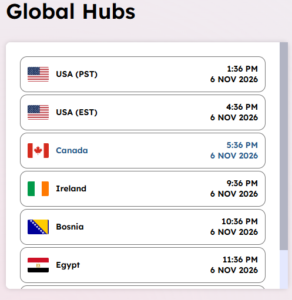
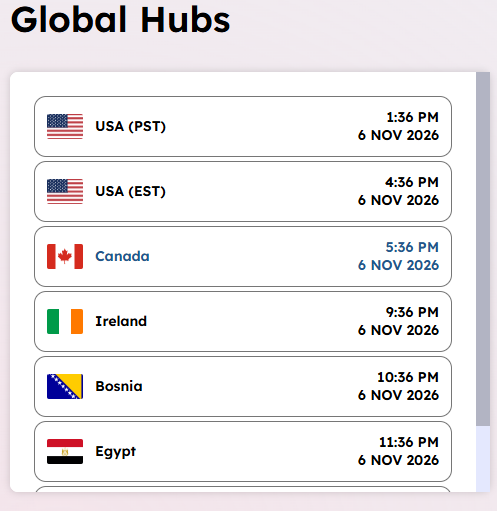
View Description: Display the times from a specified time zones: Flag (CountryCode), Label (Title), Time, Date, labels, and Link if set, below you can see there is a link set for Canada.
View Preview:
View Name: Footer Global Hubs
View Description: Display the times from a specified time zones: Label (Title), Time, Date, labels, and Link if set, below you can see there is a link set for Canada.
View Preview: