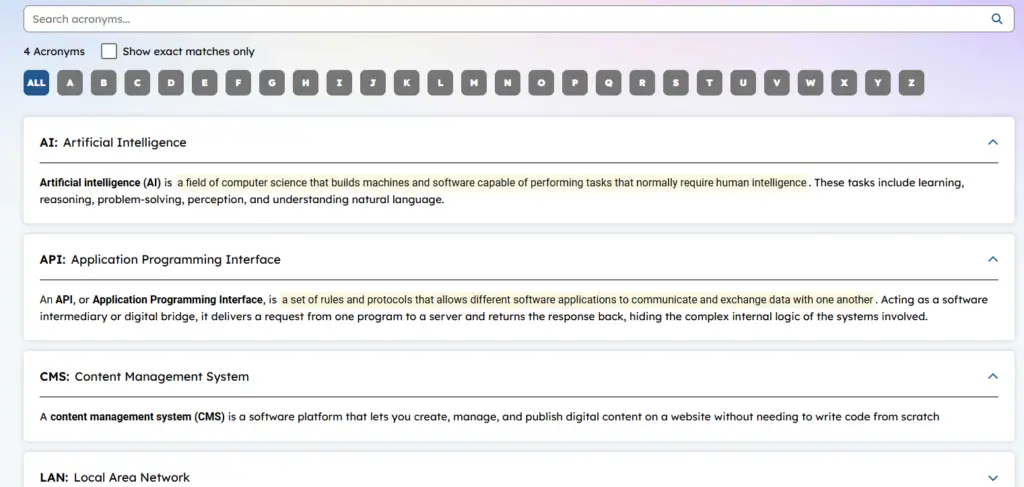
Acronym Widget
Purpose
Displays a list of items by title in alphabetical order. When the title is selected, the definition expands. Titles can be sorted via Search or by the first character.
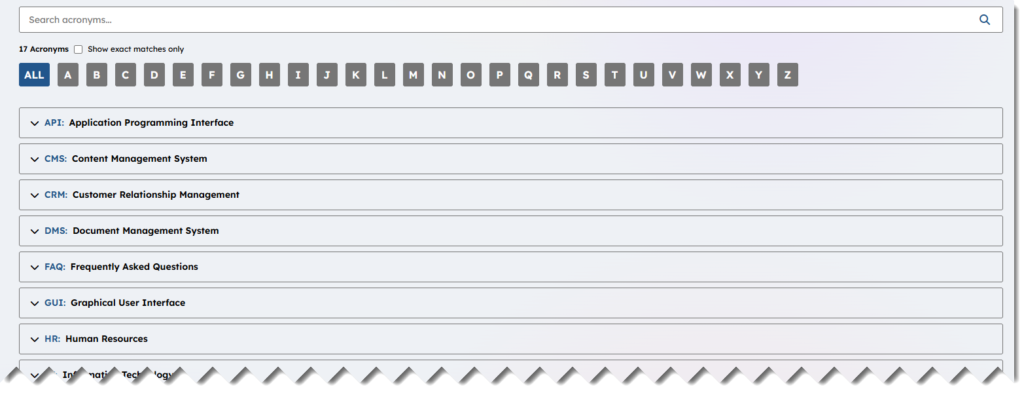
Features
-
- Display the Acronym (Highlighted)
- Display the full title of the acronym
- When expanded display the body or full meaning of the acronym
- Allow for sorting by first character
- Allow search on a term

Details
-
- Widget Name: AcronymWidget
- Available With: Release 7.0.2602.0321
- Content App Type: Author (Component)
- Content Type: AkuminaAcronym, AkuminaLangauge
- Content App Name: Structured Content > Acronyms
- List Name: Acronymn_AK
- Recommended Images Sizes: N/A
- Dependencies: GenericListWidget
Content
| Title | The full label meaning of the acronym e.g. “Application Programming Interface” |
| Acronym | The Acronym e.g. “API” that will appear in a Highlighted color to the left of the title  |
| Body | The full definition of the Acronym |
Properties
| List Name | SharePoint list that populates this widget e.g. Acronym_AK |
| Selected list columns | SharePoint list columns that will be used to populate the view: Id,Title,Acronym,Body |
| Cache Interval | -1 – set as default
Sets the time, in minutes, that the data should be saved in the local browser cache of the current user. · 0 = Do not cache the data for this widget · -1 = Use the default caching strategy set via Site Creator Whole Number = Cache for specific time, in minutes |
| List is on Root | If selected the list will live on associated SharePoint site. |
| Site Collection URL | The SharePoint list data can come from another SharePoint site if this is set then the widget will look in this site for the list set on property “List Name” |
| Function to call before binding the UI events | OOTB -Blank (used for widget expansion): Name of the function called after the UI has been rendered to the screen |
| dependencies | GenericListWidget (this widget relies on the code in this widget to function properly) |
Views
View Name: default
View Description: Display a list of Acronyms and there definitions, allowing search and refinement. This view puts a transparent background behind the content (accordion icon on the left)
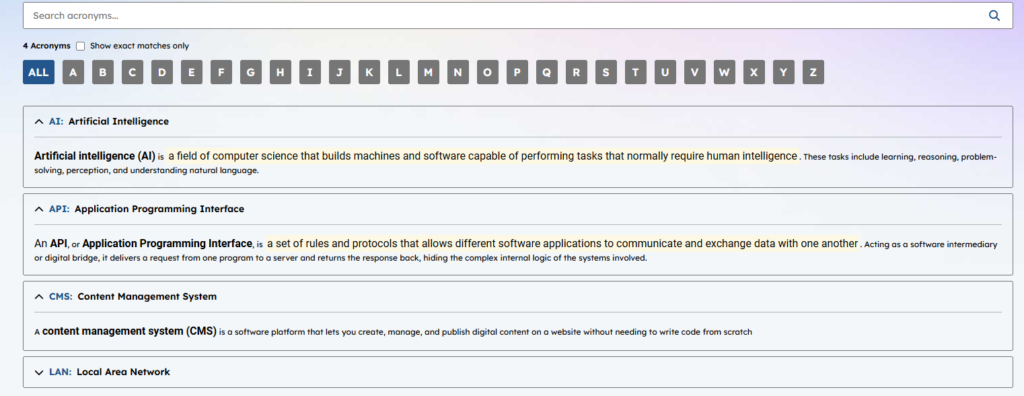
View Name: Acronyms
View Description: Display a list of Acronyms and there definitions, allowing search and refinement. This view puts a white background behind the content (accordion icon on the right)