
Employee Detail Widget
For Foundation Site Installations that are not Hive, please refer to widget documentation here.
Purpose
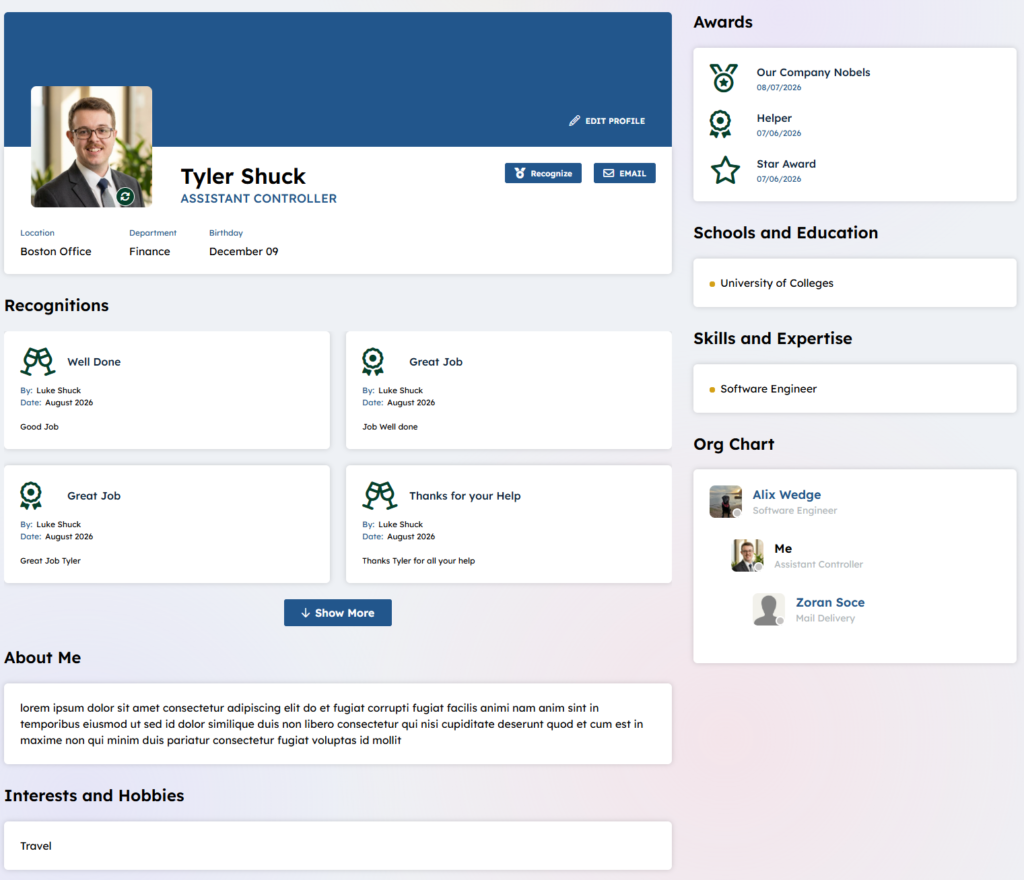
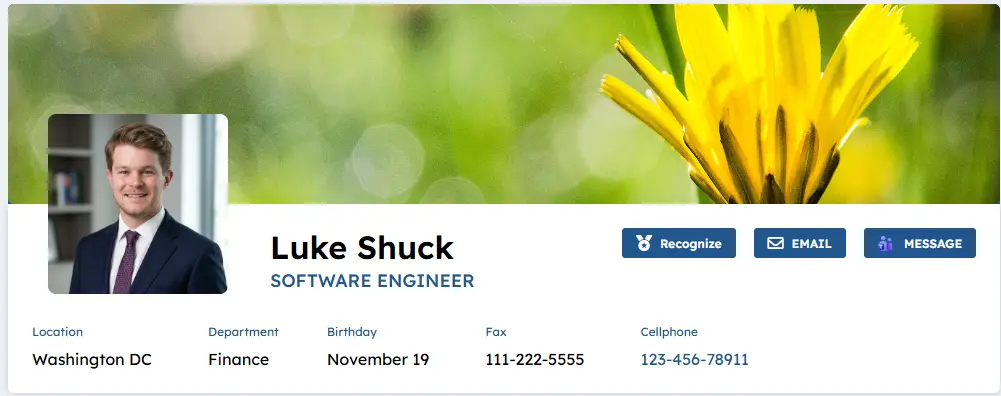
Display the detailed profile information for a user selected from the “Employee Directory” or anywhere where their profile is presented. The Employee Detail profile image as with profile images on the site can be either round or square, configurable in the theme manager. This widget can be configured to allow the user to update their own information. The collogues presented recognition (badges) display under the user’s card. Employees can be nominated for awards and when they are granted via a review panel, they display in the Awards section. A logged in user only can edit their profile information what fields are allowed to edit are configured on this widget’s properties. A set of background image can be selected by the end user for display as their unique back ground image if an image is not selected then the sites primary color will display. A set of background possible images are managed on the Corporate or delivery site in a image library called “BackgroundImages_AK”, this can be expanded or refined to only include a clients branded images. In order to allow for background images a delve property in SharePoint has to be created to store the path, to learn more about this configuration visit here.
Features
-
- Displays the detailed profile information for a user found in the Employee Directory or by selecting a profile in other places within this site e.g. Employee Spotlight or Recognition.
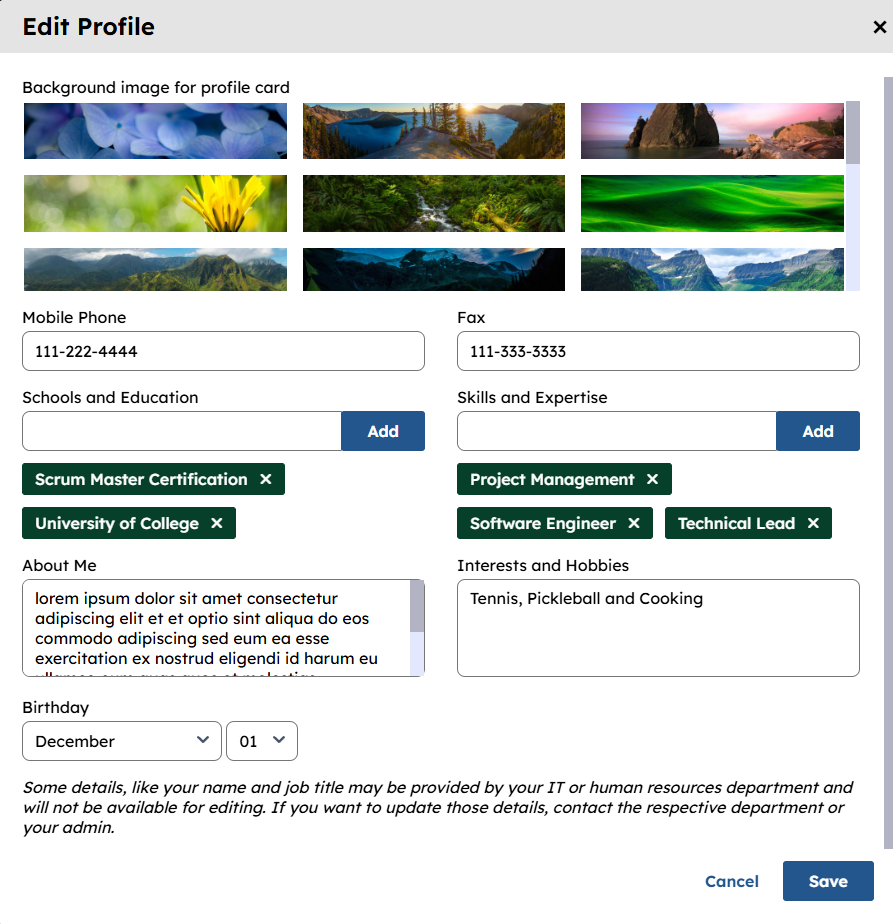
- Display my Microsoft 365 profile data and allow for editing if configured on the widget Property for each property
-
- The logged in user can edit only their own employee information if it is configurable.
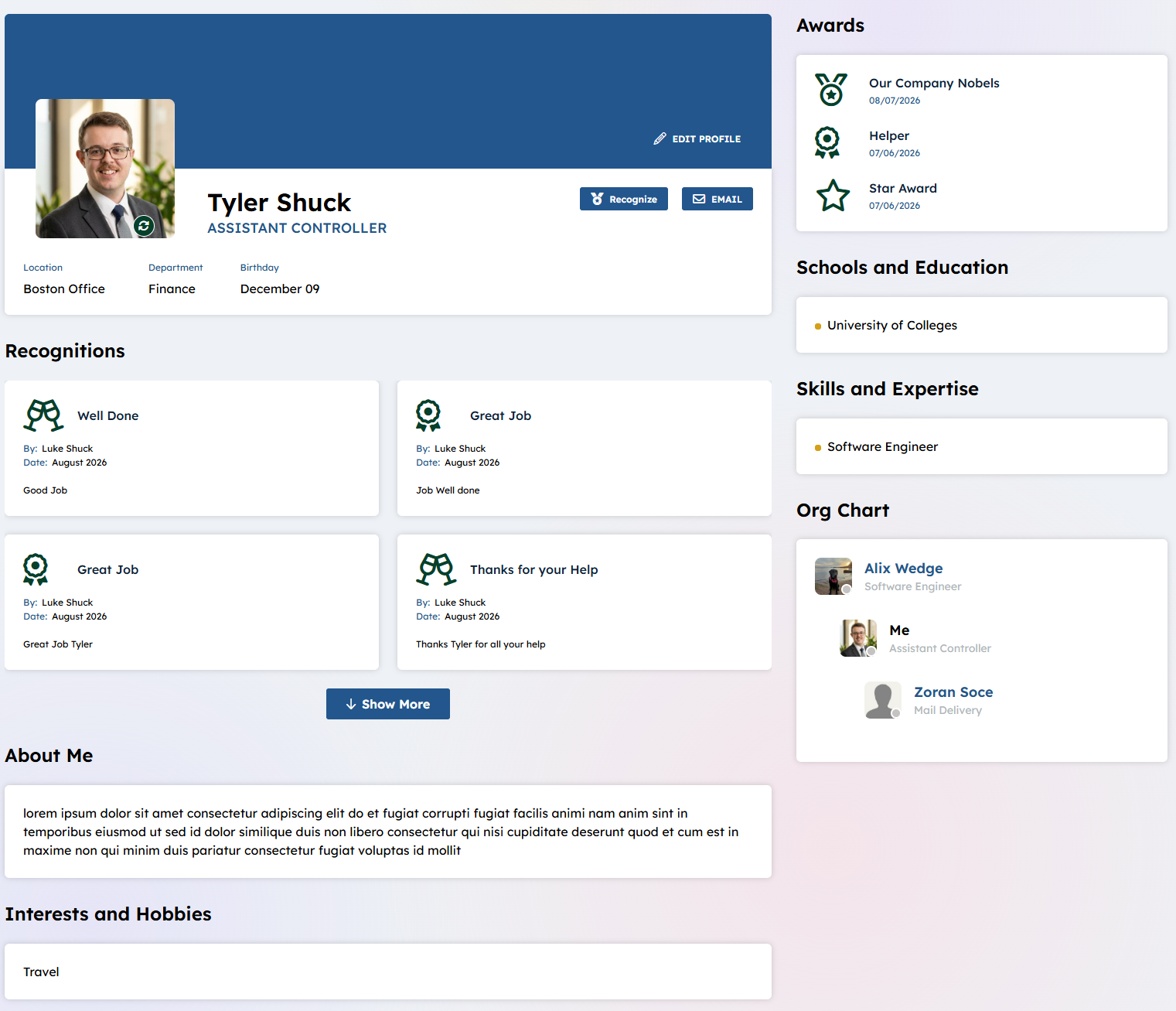
- Display Organization chart for this user, who they report to and who reports to them.
- Display Recognition “Badges” e.g. “Great Job” along with who recognized them and the message they presented with the recognition type.
- Display the Awards, other employees can nominate you for a award a review panel presents the awards to a final group of Users. The awards Title and date granted are displayed
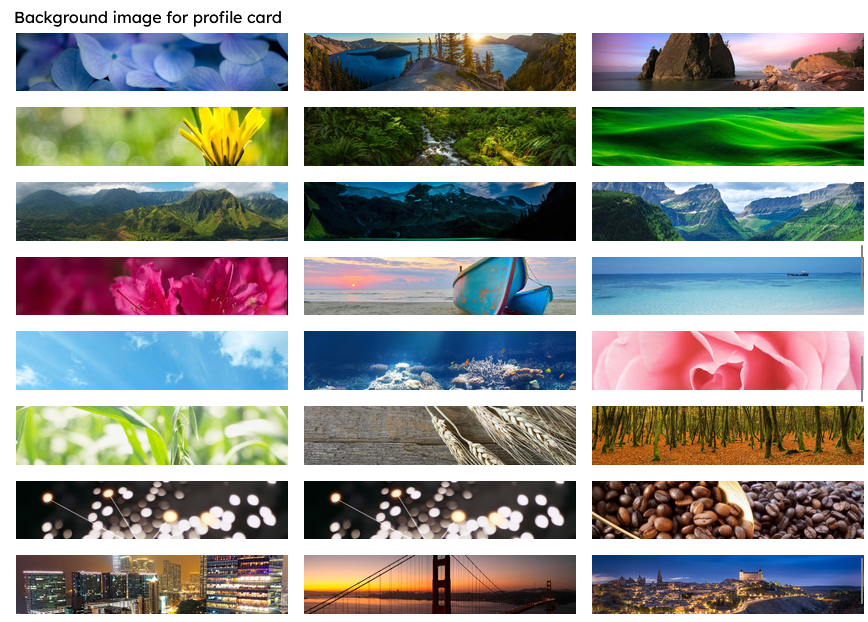
- The OOTB set of background image is expandable by the client, add/remove images in the “BackgroundImages_AK” file on the delivery or Corporate site. Below are the OOTB options:
Details
-
- Widget Name: EmployeeDetailWidget
- Available With: Release 4.1 and above
- Content App Type: N/A
- Content Type: N/A
- Content App Name: N/A
- List Name: BackgroundImages_AK – SharePoint library on the Delivery or Corporate site that stores the possible background images – this is expandable.
- Recommended Images Sizes: N/A
- Dependencies: Akumina People Sync / Azure AD/ SharePoint User Profiles
Content
N/A
Properties
| Selected list columns | Column to pull in to populate the background image. These columns come from the Library set if configured to allow to use a background image.
ID,FileRef |
|
| Library Name | Library that stores the optional background images. OOTB = BackgroundImages_AK | |
| Allow Change Background | Yes/No field – Allows user to change his or her background image. OOTB = YES (checked) | |
| Allow Edit – Mobile Phone | Yes/No field – Allows user to change his or her mobile phone number. OOTB = YES (checked) | |
| Allow Edit – Fax | Yes/No field – Allows user to change his or her fax number. OOTB = YES (checked) | |
| Allow Edit – Schools and Education | Yes/No field – Allows user to change his or her school. OOTB = YES (checked) | |
| Allow Edit – Skills and Expertise | Yes/No field – Allows user to change his or her skills. OOTB = YES (checked) | |
| Allow Edit – About Me | Yes/No field – Allows user to change his or her about me. OOTB = YES (checked) | |
| Allow Edit – Interests and Hobbies | Yes/No field – Allows user to change his or her interests. OOTB = YES (checked) | |
| Allow Change Birthday | Yes/No field – Allows user to change his or her birthday. OOTB = YES (checked) | |
| viewxml | XML used in the view to display the content | |
| List is on Root Site | When checked, the widget references the list on parent/root site collection. | |
| Site Collection URL | Site collection URL where the SharePoint library defined in “Library Name” can be found. | |
| Function to call before binding the UI events |
|
|
| Function to call after fetching data | OOTB -Blank (used for widget expansion): Name of the function called after data has been fetched by the widget. | |
| Event Subscription Id | OOTB -Blank TBD. | |
| Authorization Code | OOTB -Blank TBD. | |
| dependencies | RecognitionSubmissionWidget |
Views
View Name:
EmployeeDetailHive
View Description: Displays employee details and contact information, complete their recognitions, awards and organizational hierarchy of the current user.
View Preview:
- In order for a user to set their background image a new “user property” must be added to the SharePoint “User Profile”. Please visit here to learn more. “Schools and Education” (Schools) and “Skills and Experience” (Skills) are “SharePoint User Profile” properties, this widget is assuming the “Edit Settings” (for these properties), is configured to “Allow users to edit values for this property”. Only the logged in user can edit their own “Schools and Education” and “Skills and Experience”, when they are updated the user will also see these fields updated in delve. Schools and Skills are returned in People search when using keyword search on the directory page, as well as on the Akumina search bar and search results page. Please visit here for indexing a specific user.